DaVinci Resolve plugin
Match Cut for DaVinci Resolve
Line your clips up on the same word, the same face or the same object, in one click in DaVinci Resolve. The match cut from documentaries and Reels, without framing every image by hand.
Secure payment · Refund within 14 days
≈ $28 · charged in your currency at checkout
Try it free for 7 days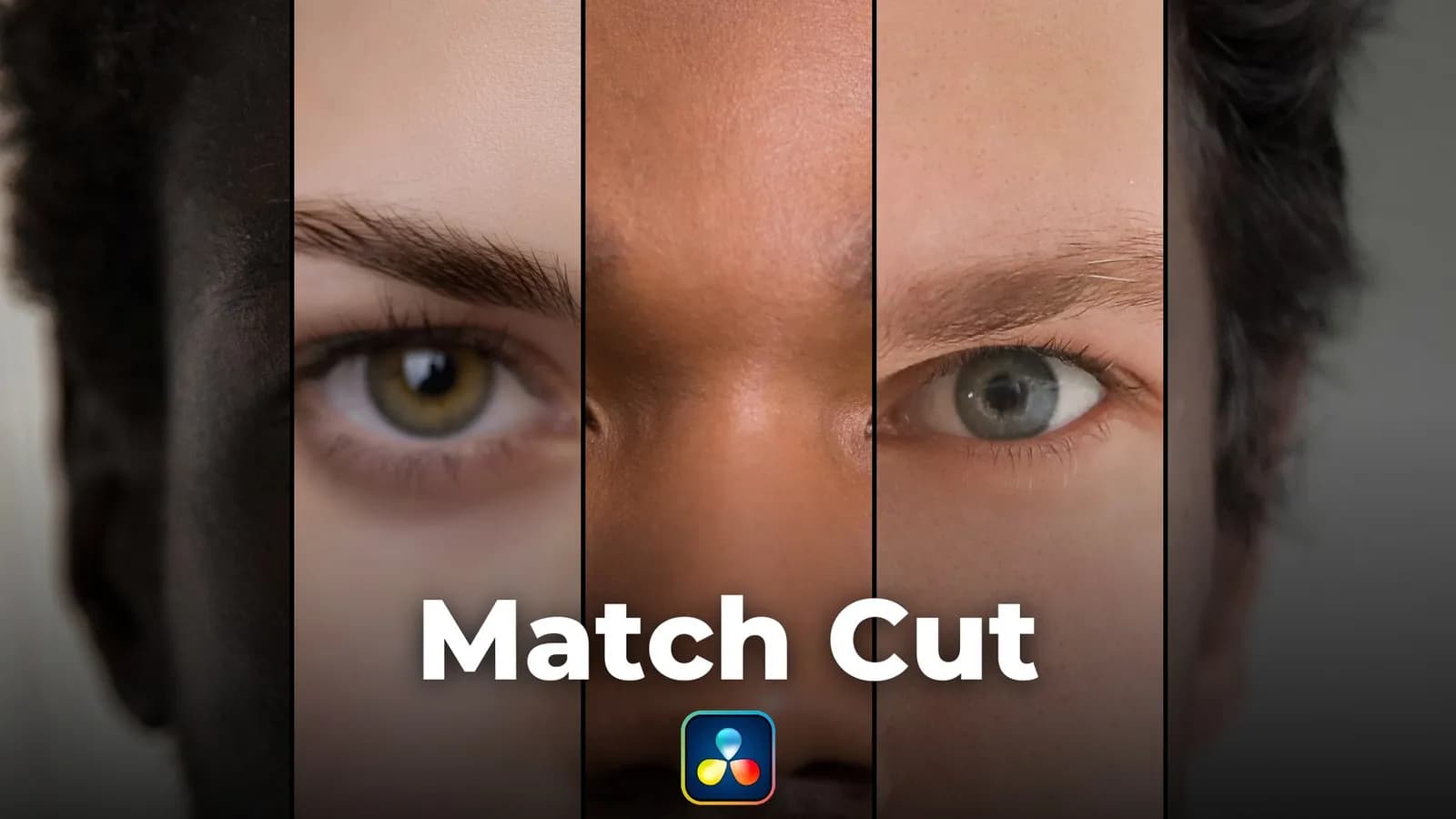

Try it free for 7 days, no credit card needed. Made by Kriss Norde, Blackmagic Design certified trainer.
The match cut, without framing every image by hand
The word that stays in place while the articles flash by, the face that does not move while the years go by: that is the match cut of documentaries and Reels. A text match cut on a headline, a face match cut through the years. In DaVinci Resolve, you zoom, shift and rotate every image by hand, one by one, and start over when a screenshot changes.
Match Cut opens next to your timeline. It finds the word, the face or the object on every clip, and lines them all up in the same spot, at the same size.

Make a match cut in DaVinci Resolve in three clicks
- Select your screenshots in the timeline, or import a folder of images.
- Click "Find common words" and pick the word. The panel viewer already shows the match cut.
- Click "Align": your match cut is in the timeline, ready to export.

A text match cut, a face match cut or a logo match cut

For a text match cut, Match Cut reads the text of every screenshot and suggests the words found on most of them. A phrase of several words works too.
For a face, the eyes land in the same spot and the head keeps the same size, even when shot from closer or further away.
For an object, you frame a logo or a product once. Match Cut finds it in every other image, even slightly tilted or smaller.
Your word is lined up and you want to highlight it or circle it? Traces Pro draws the stroke for you. And for an animated title on top, there is Composer.
What it changes
A missed screenshot is fixed in two seconds
A red thumbnail flags a word that was not found. One click enlarges it with every word read: click the right one, or frame it, even tilted. "Next not found" takes you to the next one.

A rhythm that speeds up on its own
Match Cut gives each clip a new duration: a number of frames, a total duration or the tempo of your music. You draw the speed curve: slow at first, faster and faster, then slow on the last one.

A sound on every cut, placed for you
Select a sound in the Media Pool: Match Cut places it on the timeline, synced to every cut. Did you set In and Out points on that sound? It keeps only that part, the whoosh or the click you want to hear.
For variety, open a bin of sounds without selecting anything: a different sound lands on each cut, picked at random, never the same one twice in a row. Long sounds stay whole, spread over several tracks, or stop at the next cut, as you prefer.

Your timeline back the way it was, in one click
"Undo" reverts the whole last alignment: framing, durations, sounds and excluded clips.
What you get
The Match Cut panel for Windows, in English and French, with an installation and user guide in PDF. A license for two computers. Updates are included.
A text match cut of 20 screenshots means 20 images to zoom, shift and rotate one by one, to redo at the slightest change. With Match Cut, the match cut effect takes three clicks, every time.
Launch price: €25 instead of €35, for a limited time.
Try it free for 7 days, no credit card needed.
What you need
DaVinci Resolve Studio 21.2 or later, on Windows 10 or 11. Match Cut does not work with the free version: Blackmagic Design keeps panels like this one for DaVinci Resolve Studio.
On a Mac? Not yet: for now, Match Cut works on Windows only. The Mac version is coming soon.
Installing takes one move: you drag a folder to the right place, and the guide shows you where. No installer, no script to run.
Your next match cut can take three clicks.
Certified trainer
Blackmagic Design certified trainer - Kriss Norde
Certificate code 8569-242A-D684-44B1

FAQ
Frequently asked questions
Everything you need to know before getting Match Cut for DaVinci Resolve.
What is a text match cut?
+
A match cut is a transition between two shots that keep one element in the same spot of the frame: a word, a face, a logo, a shape. In a text match cut, that element is a word: it stays still while the pages around it change. The eye follows it from shot to shot, which gives the flashing effect you see in documentaries and Reels.
How do you do a match cut in DaVinci Resolve?
+
By hand, you set each clip in the Inspector (Zoom, Position, Rotation) so the word or the face lands in the same spot, one clip after another. With Match Cut, you pick the word, the face or the object, then click Align: the panel does that framing on every clip at once.
Do I need to know Fusion?
+
No. Everything happens in the panel, next to the Edit page: you pick the word, the face or the object, then click Align. The aligned clips stay regular clips in your timeline.
Does it work with the free version of DaVinci Resolve?
+
No. Match Cut needs DaVinci Resolve Studio, the paid version: Blackmagic Design keeps panels like this one for the Studio version. With the free version, Match Cut does not show up in the menu.
Does it work on Mac?
+
Not yet. For now, Match Cut works on Windows 10 and 11 only. The Mac version is coming soon.
Does it work with videos, or only images?
+
Both. For a video, Match Cut reads one frame of the clip (for faces and objects, you choose the start, the middle or the end) and lines the whole clip up on it.
Which languages can it read?
+
The ones installed on your Windows: your Windows language already is, and you can add others in the settings.
What if the word is not found on a screenshot?
+
The thumbnail turns red. One click enlarges it: click the right word, or frame it, even tilted. It is then lined up like the others.
Can I try it before paying?
+
Yes, free for 7 days, on one computer. If you buy it afterwards, it is the same key: nothing to reinstall.
Ready to get started?
Line your clips up on the same word, the same face or the same object, in one click in DaVinci Resolve. The match cut from documentaries and Reels, without framing every image by hand.
€25(≈ $28)
Refund within 14 days