DaVinci Resolve plugin
YouTube SubScreen for DaVinci Resolve
An animated YouTube subscribe screen, ready to drop on your DaVinci Resolve timeline. Your logo, light or dark mode, in a few clicks.
Secure payment · Refundable as long as you haven't downloaded the plugin (14 days)
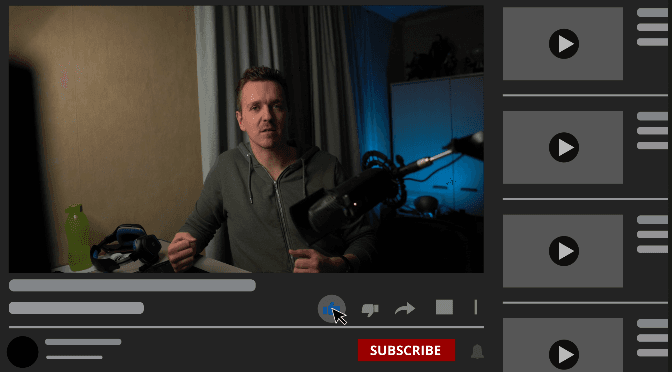
Drop it above your video, add your logo, pick light or dark mode. Your subscribe call to action is done.
By Kriss Norde, Blackmagic Design Certified Trainer.
A subscribe reminder without rebuilding it every time
Asking viewers to subscribe works better when they see it on screen. But animating a subscribe button in Fusion for every video takes time you'd rather spend editing.
YouTube Subscreen gives you that animation ready to go. You only add what is yours: your logo.
How it works
- In the Effects library, open the Generators folder and drag YouTube Subscreen onto a track above your video.
- Choose Light Mode or Dark Mode.
- Choose the language of the text.
- Drag your logo onto the "Fusion Generator" text, then adjust its size and position.
Bonus: the old-school end screen
For a bit of nostalgia, you also get a version of the old YouTube end screen, free.
What you get
The YouTube Subscreen plugin (a .drfx file) and the old-school end screen bonus.
What you need
DaVinci Resolve, free version or Studio. Everything works in the free version.
- Double-click the .drfx file. DaVinci Resolve opens and installs it.
- Check that YouTube Subscreen shows up in your Fusion effects. If it doesn't, restart DaVinci Resolve.
FAQ
Can I use my own logo?
Yes. You drag your logo onto the "Fusion Generator" text and set its size and position.
Does it work in light and dark mode?
Yes. You switch between Light Mode and Dark Mode in the settings.
Does it work with the free version of DaVinci Resolve?
Yes. Everything works in the free version of DaVinci Resolve, no Studio needed.
I have a problem. What do I do?
Write to me from the contact page of the site. I answer every message myself.
Certified trainer
Blackmagic Design certified trainer - Kriss Norde
Certificate code 8569-242A-D684-44B1

Ready to get started?
An animated YouTube subscribe screen, ready to drop on your DaVinci Resolve timeline. Your logo, light or dark mode, in a few clicks.
€10
Refundable as long as you haven't downloaded the plugin (14 days)