You're coming from After Effects or Premiere Pro. You got used to Animation Composer: a library of animations, one click, and your title moves. You switch to DaVinci Resolve, look for the same tool, and can't find it.
That's expected. Here's why, and how to get the same way of working in Resolve.
Does Animation Composer work in DaVinci Resolve?
No. Animation Composer is a free plugin by Mister Horse, made for After Effects and Premiere Pro. Its Premiere version used to be called Premiere Composer, before it was renamed Animation Composer in June 2026. Mister Horse doesn't offer a version for DaVinci Resolve.
The plugin installs inside Adobe's apps and has no counterpart in Resolve: its animations can't be imported into DaVinci Resolve, even by copying files.
What editors love about Animation Composer
What made Animation Composer so popular is the way it works:
- a library of animations you browse while each animation plays;
- an animation applied in one click to a text, a shape or a clip;
- simple settings to adjust it afterwards, without touching keyframes.
That comfort is what's missing when you arrive in DaVinci Resolve. The software can animate anything, but it doesn't offer it that way.
Ways to animate text in DaVinci Resolve
The titles that come with DaVinci Resolve
DaVinci Resolve includes some animated titles in the Effects library of the Edit page (the Fusion Titles). They help on a quick project. But there aren't many, they're easy to recognize, and you can't adjust much without opening Fusion.
Animating by hand in Fusion
Fusion, built into DaVinci Resolve, can animate anything. To make a title land letter by letter, you add a Follower to the Text+, set keyframes, then tweak each curve in the spline editor.
The result can look great, and it's a valuable skill. But it takes time to learn, and each title starts almost from scratch. If you want to get into it, I gathered some basics in 7 text effects you need to know in DaVinci Resolve.
Title packs
There are also animated title packs for DaVinci Resolve. They're fast: drop the title on the timeline, type your text. But each animation is locked. It's hard to change its speed, its curve or its style, and channels that use the same pack end up looking alike.
Creator Composer, the Animation Composer approach in DaVinci Resolve
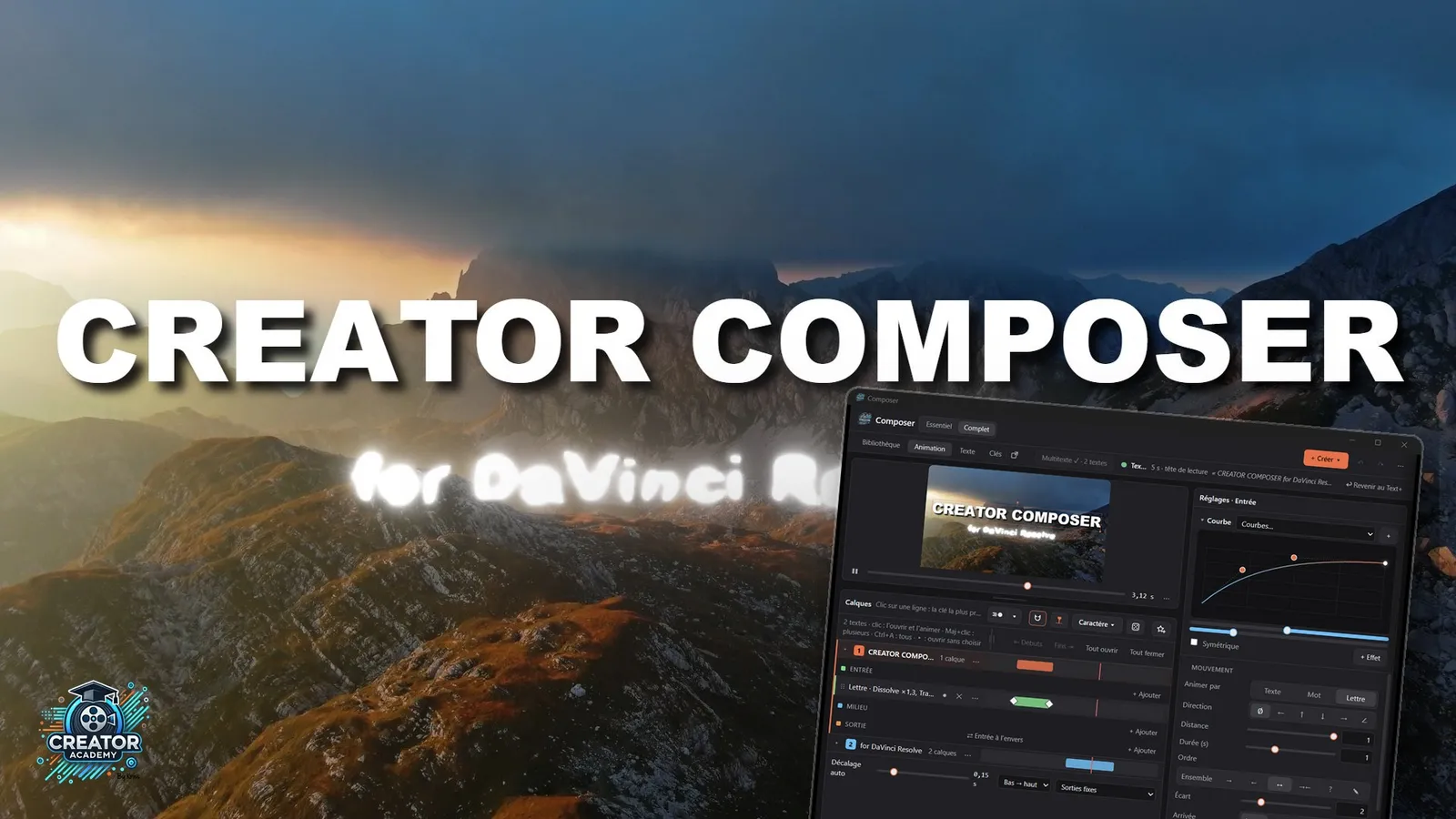
To get that comfort back, I built Creator Composer, an animation plugin for DaVinci Resolve that opens next to your timeline, on the Edit page. It has no connection with Mister Horse. It follows the same idea: pick an animation in a library, it's applied in one click, then you adjust it.
Creator Composer animates your titles and Text+, and also your logos, photos, videos, and the cuts between two shots. It comes with 48 title animations, 48 animations for images and videos, 125 transitions and 129 effects to combine. Every animation stays adjustable: the speed, the curve you drag with the mouse, the letter order, and you save your settings as your own presets.
Creator Composer requires DaVinci Resolve Studio, the paid version: Blackmagic Design keeps panels like this one for the Studio version.
Comparing the options
| Fusion by hand | Title pack | Creator Composer | |
|---|---|---|---|
| One-click animation | No | Yes | Yes |
| Adjust afterwards | Everything, by hand | Little | Speed, curve, effects, letter order |
| Need to know Fusion? | Yes | No | No |
| Logos, photos and videos | Yes, by hand | Depends on the pack | Yes |
| Transitions | Yes, by hand | Depends on the pack | 125 transitions |
| Your own presets | Yes, as macros | No | Yes |
| DaVinci Resolve version | Free or Studio | Depends on the pack | Studio |
How to animate a title in one click in DaVinci Resolve
With Creator Composer, an animated title takes a few clicks:
- Select your Text+ title in the timeline.
- Click "Convert to Composer title" in the panel. The title keeps its text, font and settings.
- In the Library, a click plays an animation in the preview, on your own text. A double-click applies it.
- Adjust if you like: the speed, the curve, one more effect.
If you make the title longer in the timeline, the out animation stays at the end. And an animated title moves and duplicates like any DaVinci Resolve clip.
You can try it free for 7 days, on your own titles.
Looking for more tools for DaVinci Resolve? The list of Creator Academy plugins and my 8 free plugins for DaVinci Resolve are a good place to start.
FAQ
Can you install Animation Composer in DaVinci Resolve?
No. Animation Composer is made for After Effects and Premiere Pro. Mister Horse doesn't offer a version for DaVinci Resolve.
Can Animation Composer animations be imported into Resolve?
No. They work inside Adobe's apps. In DaVinci Resolve you need animations made for Resolve, like the ones in Creator Composer.
Is Creator Composer related to Mister Horse?
No. Creator Composer is a Creator Academy tool, made for DaVinci Resolve. It only borrows the idea of a library of animations applied in one click.
Do you need to know Fusion to animate a title in DaVinci Resolve?
Not with Creator Composer: everything happens in a panel, next to the Edit page. Fusion is still useful if you want to build everything yourself.
Does Creator Composer work with the free version of DaVinci Resolve?
No. Creator Composer requires DaVinci Resolve Studio: Blackmagic Design keeps panels and scripts like this one for the paid version. With the free version, you can still animate titles by hand in Fusion or use the titles that come with Resolve. For the other differences between the two versions, see DaVinci Resolve free vs Studio.