You have seen those travel map animations that start from the globe, dive onto a country and follow a route down to a street. You are looking for how to make them, and one name keeps coming up: GEOlayers. Except you edit in DaVinci Resolve.
Here is what GEOlayers offers today, which map animation tools work in Resolve, and how to choose.
Is there a GEOlayers plugin for DaVinci Resolve?
No, not as far as we know. GEOlayers 3 is an extension for After Effects. It installs in Adobe's software and its maps are animated inside an After Effects composition.
There is also GEOlayers.app, a web app that creates animated maps in the browser. It does not need After Effects, but it does not open in Resolve either: you prepare your map there, export a video, then import it into your edit. If the client changes a city, you go back to the browser and export again.
At the time of writing, in November 2026, neither the GEOlayers website nor the MapTiler documentation mentions a version for DaVinci Resolve.
What editors look for in GEOlayers
GEOlayers became a reference for a simple reason: it starts from real geographic data. You are no longer animating a map image found on the Internet. You pick a place, a style, and the camera moves over a map that stays sharp at every zoom level.
That is what a GEOlayers alternative needs to give you back: real places, a continuous zoom, route animations, 3D terrain, and colors you control.
GEOlayers alternatives for DaVinci Resolve
Animating a map by hand in Fusion
Fusion, built into DaVinci Resolve, can animate a map. You import a base map, draw the route with a Polyline or Paint tool, then animate how it appears with keyframes. Some people also prepare their base map in QGIS to get a more accurate result.
It is free and you learn a lot. I showed a complete method in Create a Cinematic 3D Map in DaVinci Resolve. The limit comes when the destination changes: a good part of the work has to be done again.
Map animation templates for DaVinci Resolve
You can find map packs, macros and map animation templates for Resolve on the big template libraries. They are quick and some are very clean. On the other hand, you are stuck with the regions, styles and moves the pack provides. For a specific village or a real travel route, they quickly hit their limits.
GEOlayers.app, in the browser
If you want to stay close to GEOlayers without After Effects, the web app is a serious option. Its free plan is limited to personal or non-commercial use and to 10-second clips. The Pro plan, with commercial use, is listed at 25 dollars a month, billed yearly. 3D terrain and the globe are reserved for the Studio plan, at 66.67 dollars a month. These are the November 2026 prices.
Creator Maps, a map animation plugin inside DaVinci Resolve
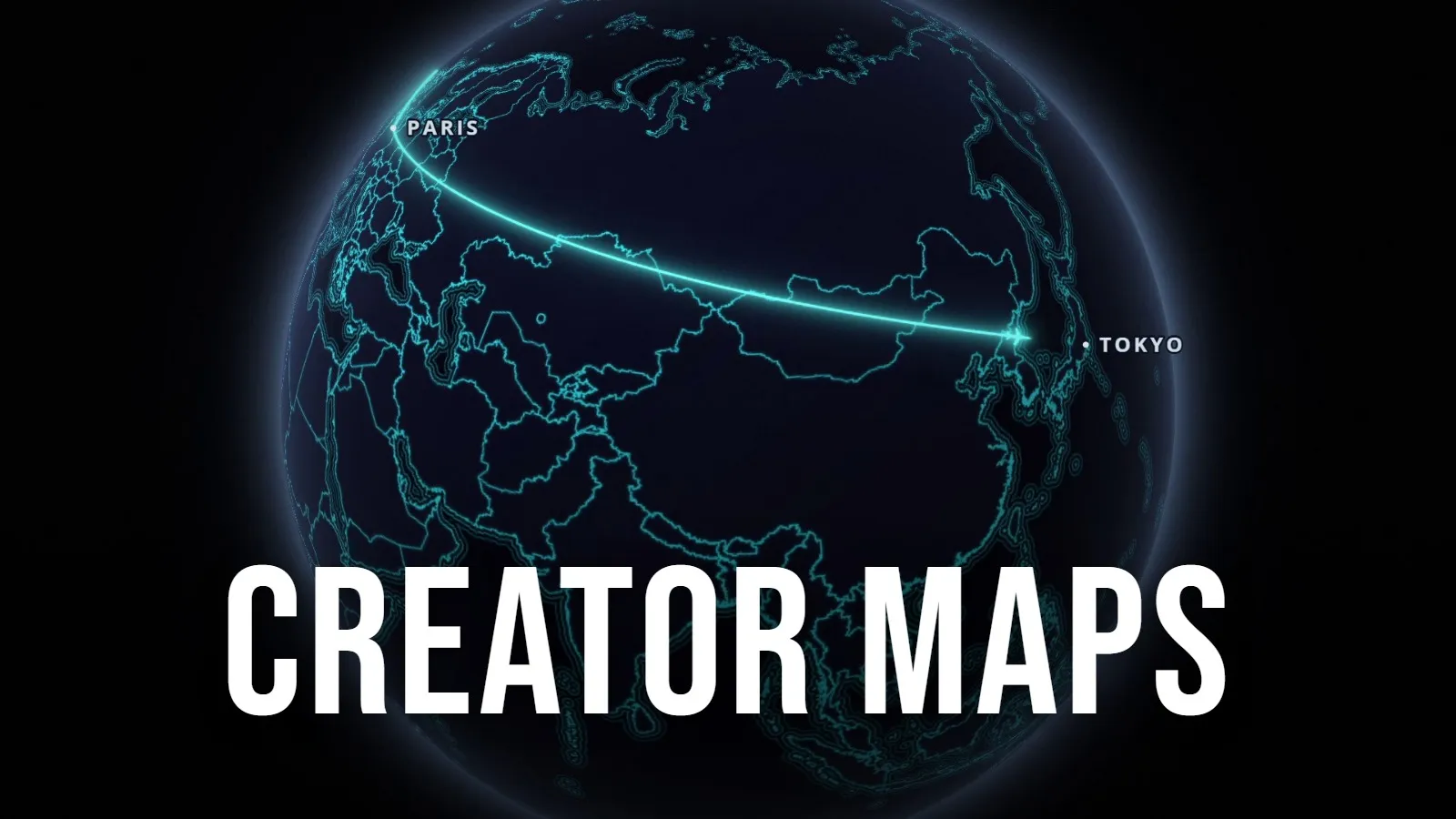
I edit in Resolve and I wanted to make these maps without switching software. So I built Creator Maps, a map animation plugin for DaVinci Resolve that opens next to your timeline. It has no link with GEOlayers or its publisher.
You type a place among more than a million, even offline, or you paste Google Maps coordinates. You set up the map in a panel with a live preview, and it lands in your timeline as a clip you can come back to at any time.

You start from the globe and end up between 3D buildings. Your routes are drawn by hand, snapped to the streets or loaded from a GPS track. Countries can rise in 3D according to your numbers, arcs connect your cities, and 16 looks change the style in one click, from documentary to neon.
Streets, terrain and NASA satellite imagery download for free, with no account. Only detailed satellite imagery down to street level needs your own MapTiler key, whose free plan is for non-commercial use only.
Comparison of the options
| Fusion by hand | Map template pack | GEOlayers.app | Creator Maps | |
|---|---|---|---|---|
| Inside DaVinci Resolve | Yes | Yes | No, video export | Yes |
| Do you need to know Fusion? | Yes | Sometimes | No | No |
| Any place you want | Depends on your base map | Depends on the pack | Yes | Yes |
| Globe and 3D terrain | To build yourself | Depends on the pack | Studio plan | Included |
| Changes afterwards | By hand | Limited | New export | In the panel |
| Payment | Included in Resolve | Depends on the pack | Subscription | One-time purchase |
| Resolve version | Free or Studio | Depends on the pack | Not applicable | Studio |
How to make map animations in DaVinci Resolve
With Creator Maps, a first travel map animation takes a few moves:
- Open the panel and add a new map at the playhead.
- Search for your place, or paste its coordinates.
- Pick a move: a flight, a tour of several cities, an orbit or your own camera shots.
- Change the look, add a route or a highlighted country, then press play.

Creator Maps requires DaVinci Resolve Studio, because Blackmagic Design keeps panels like this one for the paid version. It costs €50 at launch instead of €100, and you can try it free for 7 days on your own projects.
For other tools, the list of Creator Academy plugins and my 8 must-have free plugins for DaVinci Resolve are a good place to start.
Frequently asked questions
Can you install GEOlayers in DaVinci Resolve?
No. GEOlayers 3 installs in After Effects, and GEOlayers.app runs in the browser. In Resolve, you can only import a video exported from the web app.
What is the best free GEOlayers alternative in DaVinci Resolve?
Fusion, already included in Resolve. It takes more work, but it is enough for a simple route animation on a base map.
How do you make a travel map animation in DaVinci Resolve?
By hand in Fusion, with a base map, a drawn route and keyframes, or with a map animation plugin like Creator Maps: you type your start and end places, pick the move, and the animated map lands in your timeline.
Is Creator Maps related to GEOlayers?
No. Creator Maps is a Creator Academy tool, made for DaVinci Resolve, with no link to GEOlayers or its publisher.
Do you need a subscription to create maps with Creator Maps?
No. It is a one-time purchase. Streets, terrain and NASA satellite imagery download for free. Only detailed satellite imagery needs your own MapTiler key.
Does Creator Maps work with the free version of DaVinci Resolve?
No. It requires DaVinci Resolve Studio 21.2 or later, on Windows or Mac. With the free version, you can animate your maps by hand in Fusion.
Can you use these maps in a commercial video?
Yes, as long as you keep the data credits, shown on the map or copied into your description. For detailed satellite imagery, it depends on your MapTiler plan.