I made my first edit when I was 13 or 14, on Windows Movie Maker, which my dad had just installed on the family computer. The family camcorder, which I borrowed without really asking, wasn't digital: there was no way to get its footage onto the PC. So I downloaded videos of strangers from here and there, and I edited them.
I'm telling you this for a simple reason: to learn video editing, there's no right time and no ideal gear. You start with what you have. Here's the path I'd recommend today to someone starting from scratch, along with the mistakes I made so you can avoid them.
1. Understand the basics of video editing: it all starts with the story
Editing means choosing the best takes, putting them in the right order, cutting what's useless, then dressing it all up with music, sound and a few graphic elements. But behind these technical moves, there's only one goal: telling a story the viewer wants to follow to the end.
I understood this very late. At one point, I noticed that videos packed with effects did well on YouTube, so I devoted myself full time to visual effects. My videos didn't take off. I told myself the problem might be the colors, and I threw myself full time into color grading. Even with movie-grade color, my videos didn't do any better.
That's when I realized I was looking for the solution everywhere except in the right place. Every problem in my videos was a pure editing problem: story and pacing.
2. Choose video editing software suited to beginners
My first software was Windows Movie Maker, and that's where I learned the basics of pacing and cutting. The software matters much less than people think. The most common ones to start with:
- DaVinci Resolve, free and used all the way up to feature films.
- Premiere Pro, by subscription (and if you ever switch from Premiere Pro to DaVinci Resolve, our tool PR2XML converts your projects).
- Final Cut Pro, on Mac.
- CapCut or Clipchamp, for quick and simple edits.
They all follow the same logic: import files, organize them, edit on a timeline, export. What you learn on one will serve you on the others.
My advice: pick one and stick with it. Switching software every time you get stuck is the best way to never improve. DaVinci Resolve has the advantage of being free with no time limit or watermark, and of growing with you: you won't leave it as you get better. If you're unsure which version to choose, here's what changes between DaVinci Resolve free and Studio.
3. Learn to organize your footage from the start
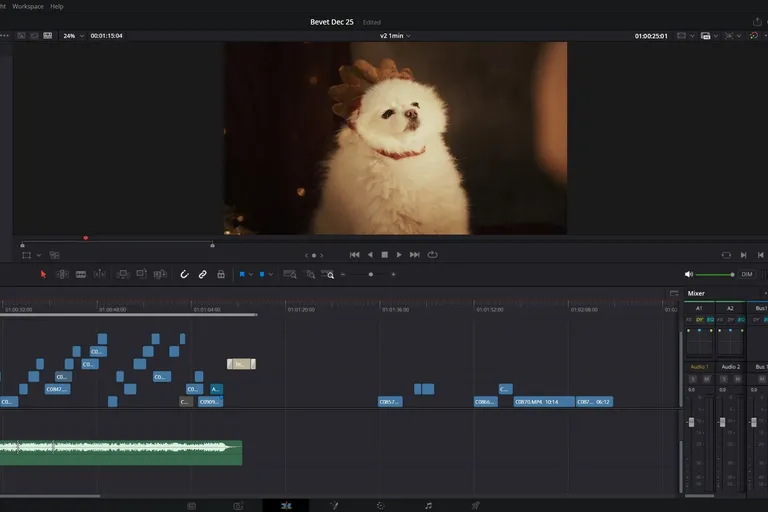
Organization is the skill beginners underestimate the most. Before editing, sort your footage, rename your files, and separate videos, photos, music and sound effects. In DaVinci Resolve, this sorting happens in Bins in the Media Pool.
Also get into the habit of no longer moving your files once the project has started. Move a folder midway through, and the red Media Offline screen is guaranteed.
4. Master the key steps of editing a video
An edit almost always follows the same order. You import and organize your files. You watch everything and note the good moments (logging). You lay down a rough cut with the best takes in story order. Then you tighten: you cut dead time and work on the pacing. Next come music and sound, colors, titles, and finally the export.
Following this order keeps you from spending an hour grading a shot you'll end up cutting.
5. Work on audio as much as the picture
Many beginners focus all their attention on the picture. Yet a viewer will forgive an average image, but will quickly leave a video where the voice crackles or disappears under the music.
Learn early to balance levels between voice, music and ambience, to remove unwanted noise and to choose royalty-free music. In DaVinci Resolve, the Fairlight page is entirely dedicated to sound.
6. Discover editing techniques gradually
Once the basics are in place, add techniques one at a time: matching cuts, cutting rhythm, slow motion, titles, then visual effects and color grading.
Just keep my mistake in mind: an effect has never saved a poorly told video. Before learning a new effect, ask yourself whether it serves your story. The 10 most common video editing mistakes will help you avoid the classic traps.
7. Practice on real projects
I made my first real edit with my friends. We did acrobatics and artistic martial arts, I had bought my first real camera, and I edited our videos. They weren't masterpieces: mostly edits set to music, to show off our tricks. But that's where I learned to cut on a movement, to pick the best angle, to keep a rhythm.
Do the same: edit what you're passionate about. Your friends, your sport, your travels, a vlog, a short for Instagram or TikTok. A project that's fun for you is one you'll finish, and every finished project teaches you more than ten tutorials watched.
8. Understand that improving takes time
At first, it's normal to hunt for features, to hesitate over every cut and to spend an evening finishing a one-minute video. Consistency matters more than duration: 30 minutes a day beats five hours once a month.
Another trap almost made me quit. When I was younger, I edited for fun: our acrobatics, our martial arts. As I got older, I started editing more technical videos, for companies and for my own businesses. I found it not very fun, even downright boring, and I concluded that this was what real editing was.
It was only a few years later that I understood editing has many faces: technical editing, artistic editing, storytelling, documentary. Technical editing isn't the most glamorous, and sometimes you have to do it. But if a style bores you, don't throw it all away: try another one before concluding that editing isn't for you.
9. Take a structured course to learn faster
Free tutorials on YouTube are a gold mine. The problem, when you're starting from scratch, is knowing in what order to watch them, and you often end up learning effects before learning to cut.
A course gives you a path in the right order, concrete exercises and a project to finish at each step. My DaVinci Resolve course for beginners (in French) is built that way, and the first chapters are free so you can see if the method suits you.
Learning video editing: key takeaways
To learn video editing from scratch, start with what you have: a smartphone and free software are enough. Pick one piece of software and stick with it, organize your files from day one, work on sound as much as the picture, and edit projects you enjoy. Above all, learn to tell a story before learning effects: that's what will make the difference between a video people watch and a video they skip.
FAQ
Where should you start to learn video editing?
Start by learning to tell a simple story with images: choosing the right takes, putting them in the right order and cutting what isn't needed. Effects and color grading come afterward.
Can you learn video editing with no experience?
Yes. Today's software is accessible to beginners, and a smartphone is enough to shoot your first projects. What matters is practicing regularly on projects you see through to the end.
What is the best video editing software for beginners?
DaVinci Resolve is an excellent choice: it's free, has no watermark, and is used by professionals. Premiere Pro and Final Cut Pro are also very widespread, but they're paid.
How long does it take to learn video editing?
You can pick up the basics in a few weeks with regular practice. Reaching a professional level takes several months of real projects.
Do you need a professional camera to start?
No. A recent smartphone, a decent microphone and free editing software are more than enough to learn and make your first videos.
Can you learn video editing for free?
Yes, with YouTube tutorials, specialized blogs and free software like DaVinci Resolve. A structured course mainly saves you time by giving you the right learning order.